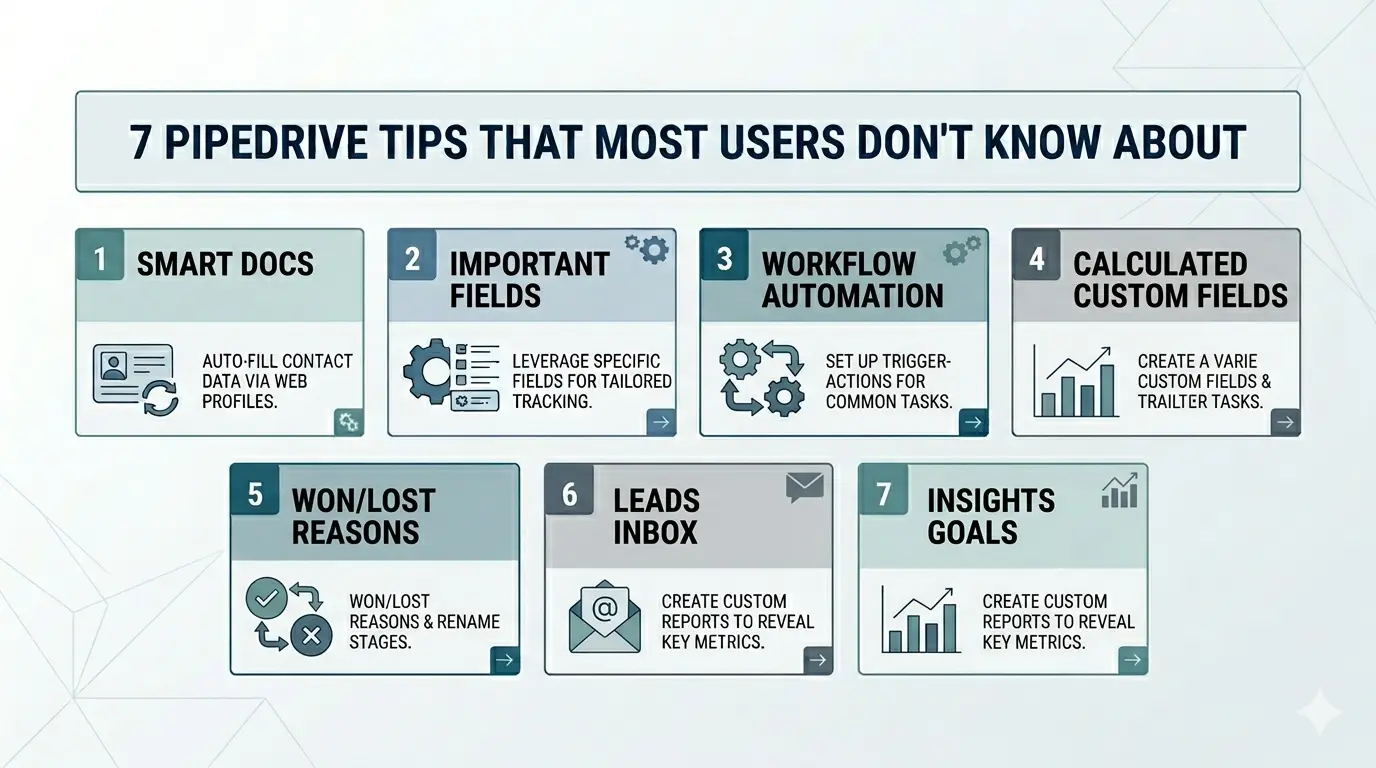
- Most Pipedrive users only touch 30% of the platform. The other 70% is where the actual leverage is.
- None of the 7 features below require a plan upgrade or a developer. They are sitting in your account right now.
- Default Pipedrive is a filing cabinet. Configured Pipedrive is a system that enforces sales discipline.
- Each feature removes a specific kind of pipeline rot: stale deals, missing data, manual quotes, untracked losses, unqualified leads.
- Pick two this week. Configure them in an afternoon. Watch what shifts.
Most B2B teams in Lebanon, Saudi Arabia, Jordan, and Syria buy Pipedrive, get it implemented in a week, and then never touch the configuration again. The deal stages get used. Activities get logged. Email sync works. Everything else sits dormant.
Six months later, the same team is on a call with us asking why their CRM "is not working." It is working. They are using about 30% of it. The other 70% is the part that would have solved the problem they are calling about.
This article covers seven Pipedrive features we configure for almost every client. None of them require an upgrade in plan. None of them require technical skill. All of them are visible in the platform, today, on every Pipedrive account in this region. Most teams just never open them.
The Configuration Gap
When you buy any CRM, the implementation partner usually configures three things: pipelines, stages, and basic custom fields. That gets you live. After that, the CRM works as a digital filing cabinet for your sales activity. It records what your reps did. It does not change what they do.
The difference between a CRM that records and a CRM that operates is configuration. The seven features below are not advanced. They are the features that turn Pipedrive from a filing system into a system that enforces sales discipline, automates work your reps are doing manually, and gives you data that actually informs forecasts.
The 7 Features Most Teams Never Turn On
Smart Docs — Auto-Generated Proposals and Quotes
What most teams do. Write proposals in Word. Save a template. Copy. Paste deal details. Send. The rep does this 40 times a month.
What Smart Docs does. Pulls Deal fields, Person fields, and Product fields into a template you build once. Click "Generate Document" on the deal. A branded, fully populated proposal opens in seconds. Track when it gets opened. eSign is built in on Professional plan and above.
Why it matters. A 30-second click instead of a 20-minute copy-paste. The proposal data is now linked to the deal, not living in your reps' Downloads folder.
Important Fields — Required by Stage
What most teams do. Hope reps fill out the fields. Hold weekly meetings asking why deal data is missing.
What Important Fields does. Marks specific custom fields as required to move a deal forward. A deal cannot leave Qualification until the deal value is filled. A deal cannot enter Proposal until the economic buyer is named. Pipedrive blocks the stage move if the data is not there.
Why it matters. This is the single biggest discipline lever you have. Reps will fill the data when the CRM refuses to let them move forward without it. Not before.
Workflow Automation Chains — Not Just One Notification
What most teams do. Set up one automation that pings Slack when a deal is won. Call it a day.
What Workflow Automation actually does. Chains of conditional actions triggered by any event. When a deal moves to Negotiation: auto-create three follow-up activities, assign the deal to a senior rep, send a templated email to the contact, post in a Slack channel, update a custom field. One flow. Five actions. Zero rep effort.
Why it matters. The four manual steps your rep does after every stage change now happen automatically. Reps stop missing them. The process actually runs.
Calculated Custom Fields — Live Math on Deal Data
What most teams do. Maintain a parallel spreadsheet for margin, weighted value, and deal velocity. Update it weekly. Argue about which version is current.
What Calculated Fields do. Math on other field values, live. Deal margin = (value − cost) / value. Weighted value = value × stage probability. Days in stage = today − stage-entered-date. Values update automatically. They show in filters, list views, and Insights reports.
Why it matters. Every spreadsheet your sales ops person maintains by hand probably exists because nobody configured a calculated field. This is the tip that removes the most "Excel work" from a sales operation.
Won/Lost Reasons — Required Field on Every Closed Deal
What most teams do. Mark a deal Lost. Move on. Six months later, "we lost on price" is the answer for every deal and nobody actually knows why deals are dying.
What this configuration does. When a deal moves to Lost, Pipedrive forces the rep to pick a reason from a controlled list (Price, No Budget, Lost to Competitor X, No Decision, Wrong Timing) and write a one-sentence explanation. Won deals get the same treatment with reasons for winning.
Why it matters. Run an Insights report showing which loss reasons dominate by segment, by rep, by competitor. That report becomes a quarterly product and pricing conversation. Loss data turns from a black box into a roadmap.
Leads Inbox — Pre-Pipeline Qualification Space
What most teams do. Dump every inbound contact into the deals pipeline. The pipeline fills with garbage. The forecast becomes meaningless because 60% of the "deals" were never going to buy.
What Leads Inbox does. A separate space for unqualified contacts. A web form submission, a cold email reply, a LinkedIn message lands in Leads, not Deals. A rep qualifies the lead. If real, they convert to a Deal. If not, they archive it.
Why it matters. Your pipeline becomes a list of qualified opportunities, not a list of inbound noise. Your forecast can actually be trusted because the pipeline reflects intent, not curiosity.
Insights Goals — Per-Rep Targets That Auto-Track
What most teams do. Track quota in a spreadsheet. Update it monthly. Argue at the end of the quarter about who hit what.
What Insights Goals do. Set a target per rep for any metric — deals closed, revenue, activities completed, calls made — and Pipedrive tracks progress in real time, with daily and weekly views. The rep sees their own number. The manager sees the team. The number is the same number.
Why it matters. One source of truth on attainment. No more reconciling four different reports. The conversation moves from "what did you do" to "what will you do next."
You did not buy a notebook. You bought a system. The features that make it a system are the ones you have to turn on.
Why MENA Teams Especially Leave These Off
Many teams in this region adopt Pipedrive as a replacement for Excel. The first six months feel like a huge upgrade because the basics are working: pipeline visibility, activity tracking, email sync. The CRM is "working."
What does not happen is the second phase. Actually using the platform to run the sales process, not just record it. The implementation partner left months ago. The team moved on. Nobody opens settings.
The features above are not difficult. They are uncommon. The difficulty is not the configuration. It is the decision to spend an afternoon configuring rather than selling. We have done it for clients in two-hour blocks across one week. The week after, the team's productivity shifts visibly.
What Changes When You Run This
Teams that move from default Pipedrive to a fully configured Pipedrive see four shifts within a quarter:
Reps stop forgetting things. The CRM enforces the next step, sends the email, creates the follow-up. The rep's only job becomes the conversation, not the admin around it.
Pipeline data becomes trustworthy. Required fields and Lead qualification mean the pipeline reflects reality, not optimism. Forecasts get sharp. The board stops asking why last quarter missed.
Manual work disappears. Smart Docs replaces proposal copy-paste. Workflow Automation replaces post-stage rituals. Calculated fields replace spreadsheets. An hour back per rep per day, conservatively.
Loss reasons become a roadmap. Won/Lost data turns into a quarterly conversation about what is actually happening in the market. Pricing changes. Positioning changes. Product roadmap changes. All informed by structured loss data instead of folklore.
The CRM you have is probably the CRM you need. The 30% you are using is the part everyone uses.
The other 70% is what separates teams that record their pipeline from teams that operate their pipeline. Pick two of these seven features. Configure them this week. Watch what changes. Pipedrive is not a notebook. It is a system. The features that make it a system are the ones nobody opens.