- Automation does not fix a broken sales process. It just makes a broken process happen faster. Get the process right first.
- Zapier wins on speed and simplicity. Best for non-technical teams that need something running today. Gets expensive at scale.
- Make is the middle ground. More power than Zapier, cheaper at high volumes. You will spend a weekend learning it.
- n8n is for teams with a developer. Self-hosted, flat cost, full data control. Not for non-technical teams.
- The tool you connect to matters more than the tool you connect with. If your CRM is not structured, automation just moves the problem faster.
Everyone is talking about automation. And for good reason. When your sales team is manually copying data between tools, sending follow-up emails one by one, and updating spreadsheets that nobody trusts, you are burning time that should be going into actual selling.
But before you pick a tool, it helps to understand what automation actually does and what it does not do.
Automations vs Sales Cycles. What is the Difference?
A sales cycle is the journey a deal takes from first contact to closed. It has stages, decision points, and human judgment involved at every step. No tool replaces that.
Automation handles the repetitive tasks that live around that cycle. Sending a follow-up email when a deal moves to a new stage. Notifying your team when a lead fills out a form. Logging a call automatically. Syncing data between your CRM and your invoicing tool.
Your sales cycle is the road. Automation is the traffic system that keeps things moving without you having to stand at every intersection and wave cars through manually.
The mistake most SMBs make is expecting automation to fix a broken sales process. It does not. It amplifies whatever process you already have. If the process is solid, automation makes it faster. If the process is a mess, automation makes the mess happen faster.
The Three Tools
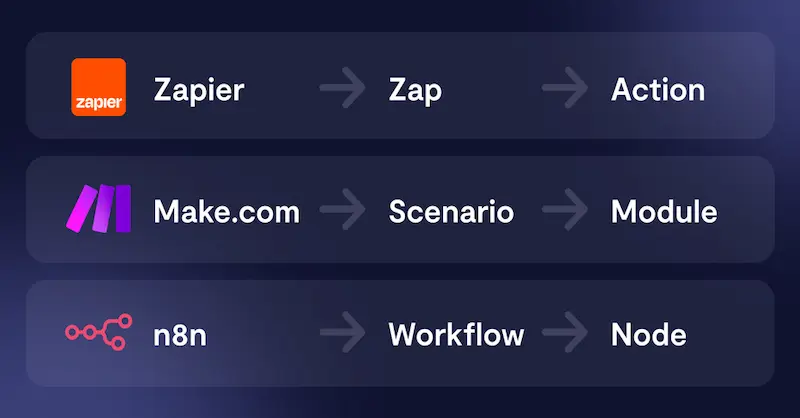
Zapier is the most widely used automation platform in the world and for good reason. It connects over 6,000 apps and lets you build automations called Zaps in minutes without writing a single line of code. If App A does something, trigger an action in App B. Simple, reliable, and fast to set up.
Make takes a different approach. Instead of a simple trigger and action model, it gives you a visual canvas where you build full workflows with branches, filters, routers, and data transformers. It is significantly more powerful than Zapier and considerably cheaper for the same volume of tasks.
n8n is the tool for teams who want full control. It is open source, which means you can self-host it on your own server, keep all your data in-house, and pay a flat fee rather than per task. It is the most powerful of the three and also the most technical.
Quick Comparison
| Feature | Zapier | Make | n8n |
|---|---|---|---|
| Ease of use | Very easy | Moderate | Technical |
| Pricing model | Per task | Per operation | Flat / self-hosted |
| App integrations | 6,000+ | 1,500+ | 400+ (growing) |
| Complex workflows | Limited | Strong | Very strong |
| Data privacy | Cloud only | Cloud only | Self-hosted option |
| Technical skill needed | None | Some | Yes |
So Which One Should You Pick?
If you need something working today and your team is not technical: Zapier.
If you want more power and better pricing and you are willing to spend a few hours learning: Make.
If you have a developer, care about data privacy, and want to scale without worrying about per-task costs: n8n.
The tool matters less than the system it connects to.
Automations move data. If the place your sales data lands (the CRM) is not structured, you are just moving the problem faster. If you are not sure your pipeline is ready to handle automation, that is worth figuring out first.
Let's talk about your pipeline